
Utiliser le baguier Belaroq : toutes les étapes
Le baguier en ligne propose plusieurs méthodes. Choisissez celle qui correspond à ce que vous avez, répétez la mesure, puis confirmez la taille avant de faire fabriquer une bague. Le tableau international relie tailles US, UK, EU/ISO et Asie/JP.
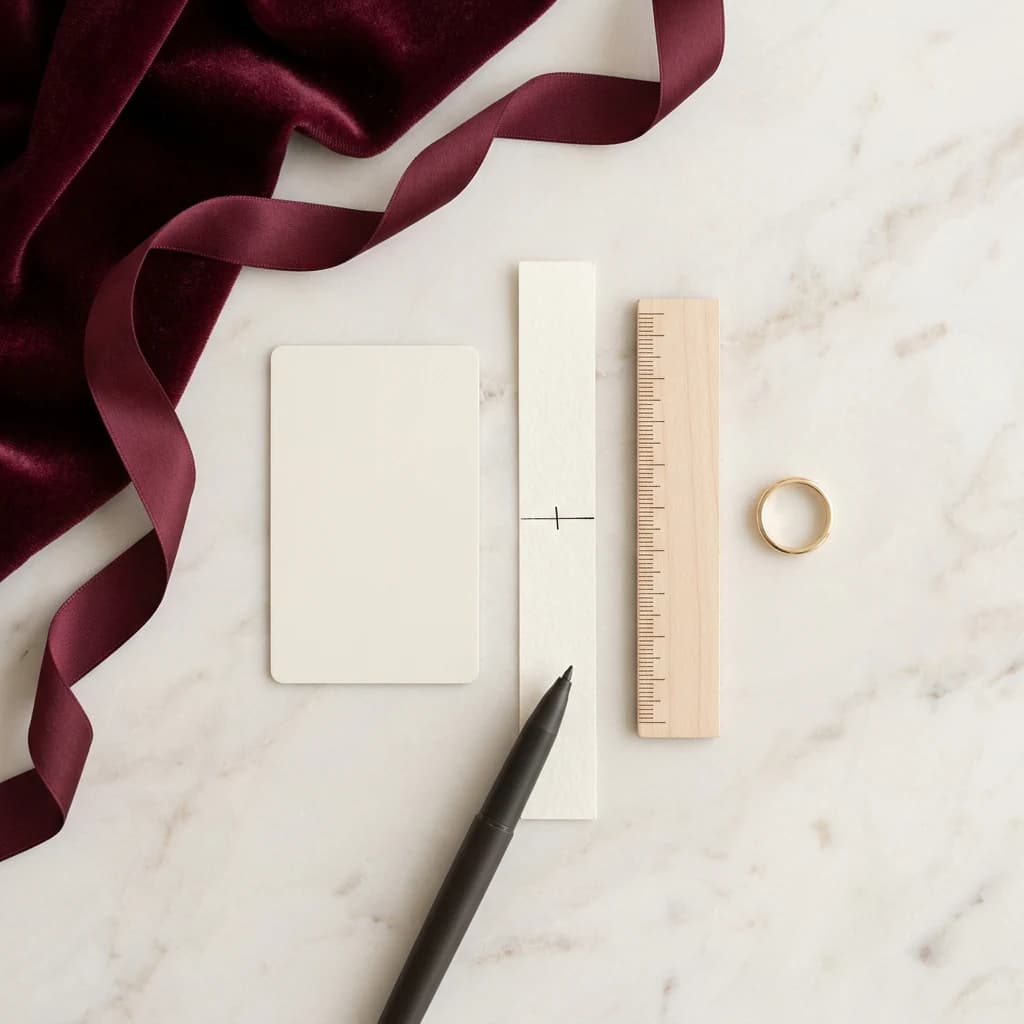
Utiliser le baguier Belaroq : toutes les étapes
Calibrez l’écran ou vérifiez l’échelle imprimée. Alignez le diamètre intérieur d’une bague adaptée au bon doigt, mesurez trois fois et comparez une seconde méthode. Une photo IA seule ne confirme pas une taille de production.
L’essentiel
- La carte de référence ISO/IEC 7810 ID-1 mesure 85,6 × 53,98 mm.
- Le réglage du cercle avance par pas de 0,1 mm.
- Le diamètre intérieur et la circonférence sont deux mesures différentes.
- Imprimez les PDF A4 ou US Letter à 100 %, sans ajustement à la page.
- La largeur de l’anneau et le doigt prévu influencent le confort.
Mesure de bague : étalonnage et répétabilité
Méthode revue par l’équipe Bijoux et Produit Belaroq · · Version 1
Méthode et calculs du dispositif Belaroq, sans test d’exactitude physique ni garantie de taille. Les sources citées ne certifient pas cet outil.
Pixels par millimètre = bord de carte en pixels CSS / longueur de référence en millimètres. Diamètre intérieur = largeur du cercle en pixels CSS / pixels par millimètre.
428 CSS px / 85.6 mm = 5 px/mm; 86.5 px / 5 px/mm = 17.3 mm; US 7 · UK N · EU 54
- Écran : aligner une carte standard de 85,6 × 53,98 mm, dans le même écran, zoom et orientation. Refaire l’étalonnage après chaque changement ; mesurer le bord intérieur de la bague.
- PDF : choisir A4 ou Letter, imprimer à 100 % sans adaptation. Vérifier les lignes de 50 mm et 1 pouce (25,4 mm), puis les deux dimensions du cadre de carte. Si les échelles divergent, changer de méthode.
- Retirer et repositionner bague ou bande de papier pour trois lectures du même doigt et de la même main. Noter méthode, millimètres minimum/maximum et réglages ; ne pas tirer la bande.
- Recouper avec une autre méthode ou un essayage professionnel. Confirmer passage de la jointure, largeur de bague et confort avant production ; ne pas masquer les écarts par une moyenne.
La conversion choisit la ligne prise en charge la plus proche ; EU est la circonférence intérieure arrondie en millimètres. Les incréments numériques ne décrivent pas la précision de mesure. Une erreur de 1 mm de diamètre correspond géométriquement à environ 3,14 mm de circonférence.
Choisissez votre méthode
Une bague qui convient au doigt prévu fournit une référence physique. Sans bague, utilisez une bande de papier. Si un bijoutier vous a déjà donné le diamètre ou la circonférence, saisissez cette mesure directement. Un PDF imprimé peut servir de seconde vérification.
| Votre référence | Méthode | Contrôle |
|---|---|---|
| Bague adaptée | Cercle sur écran | Calibrer puis aligner le bord intérieur |
| Imprimante disponible | Baguier PDF | Imprimer à 100 % et vérifier les repères |
| Sans bague ni imprimante | Bande de papier | Tension légère et vérification de l’articulation |
| Diamètre ou circonférence connu | Saisie directe | Vérifier grandeur et unité |
| Photo seulement | Estimation IA | Fourchette approximative à confirmer manuellement |
Méthode 1 : mesurer une bague
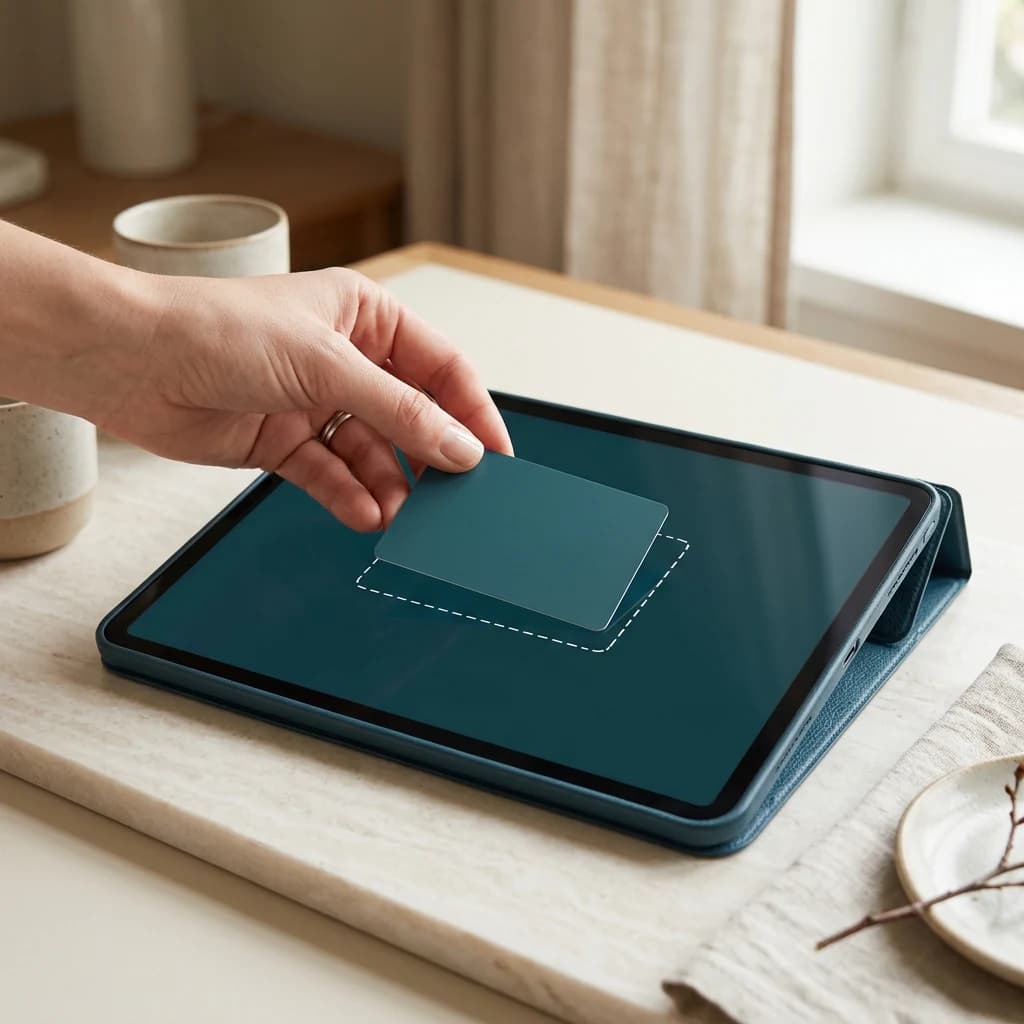
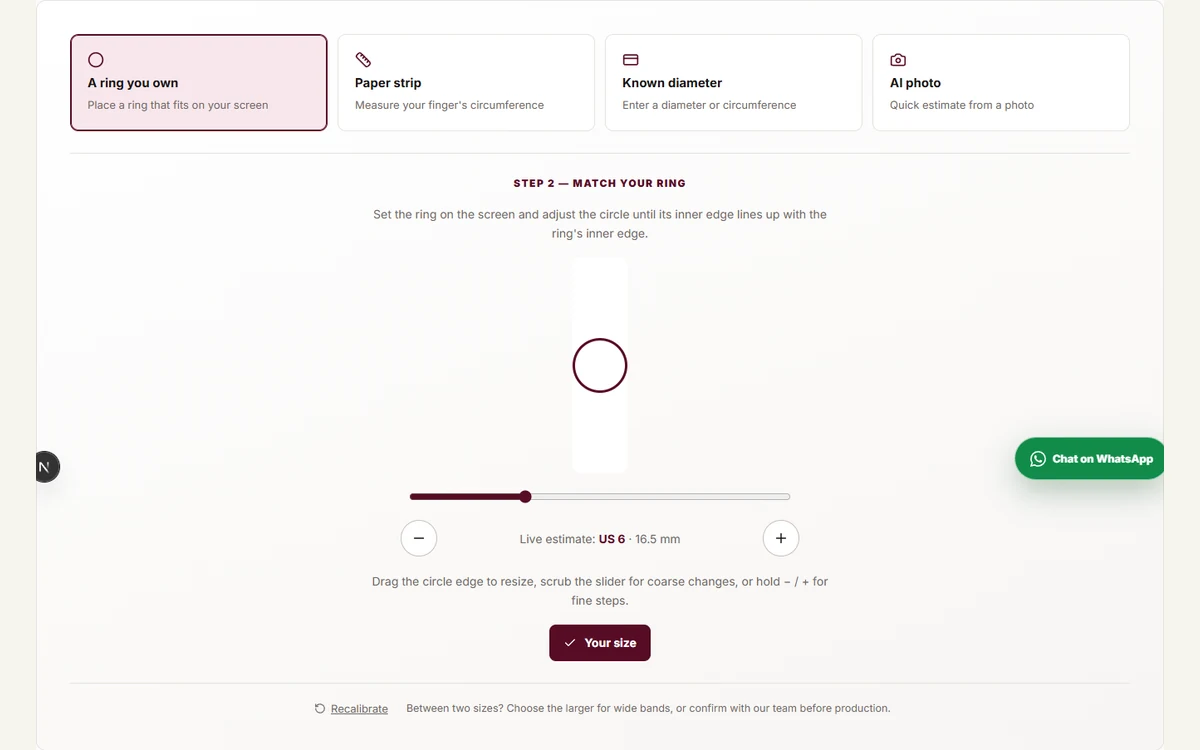
Ouvrez le baguier sur téléphone, tablette ou ordinateur. Posez une carte bancaire à plat et ajustez le contour avec les boutons jusqu’à correspondance exacte. La calibration concerne cet appareil.
Posez ensuite une bague et ajustez le cercle au bord intérieur, pas au bord extérieur. Lisez la taille, le diamètre et la circonférence dans le résultat. Comparez la largeur de votre bague de référence à celle du modèle prévu ; ne corrigez pas arbitrairement la taille.


Échelle visuelle relative uniquement. La taille physique à l'écran dépend de l'appareil ; les mesures écrites et le rapport de la pierre prévalent.
Méthode 2 : bande de papier
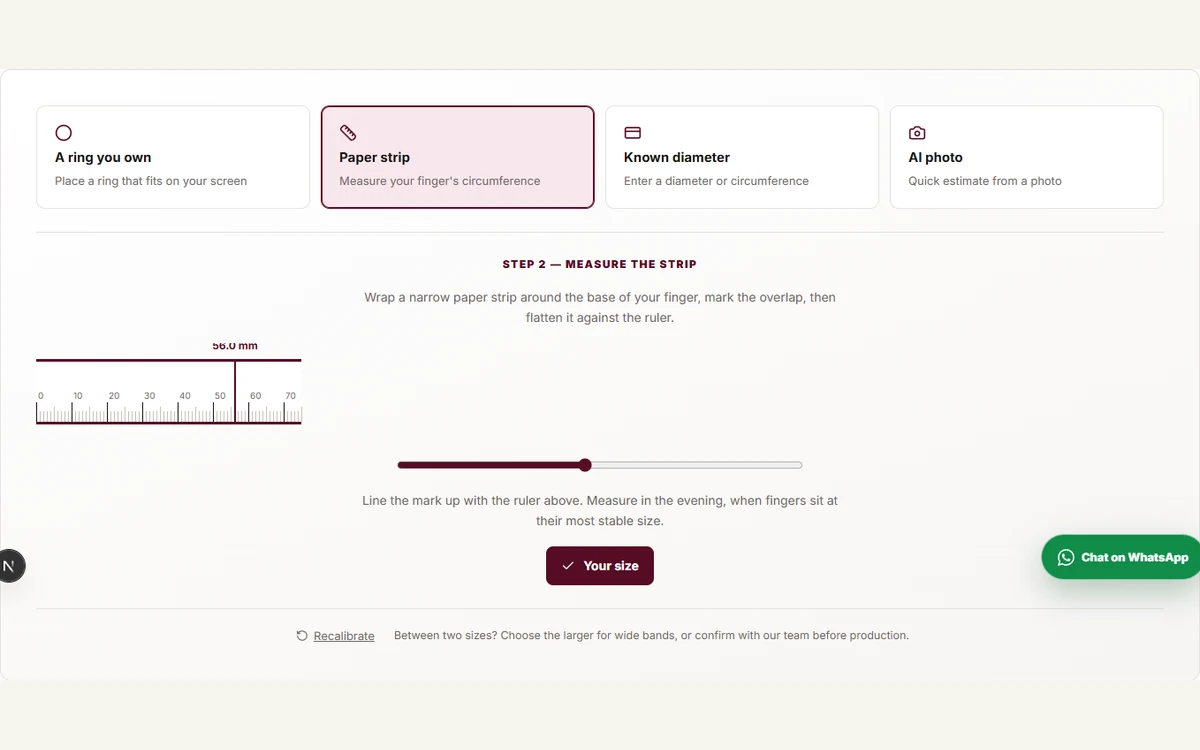
Découpez une bande d’environ 5 mm de large et d’au moins 80 mm de long. Entourez la base du doigt sans comprimer, marquez le chevauchement, puis aplatissez la bande sur la règle calibrée. Déplacez le repère jusqu’à la marque.
Vérifiez que la bague pourra passer l’articulation. Répétez trois fois à température ambiante, idéalement le soir. Le froid, la chaleur et l’exercice changent la taille du doigt. Le PDF imprimable propose aussi une bande découpable.
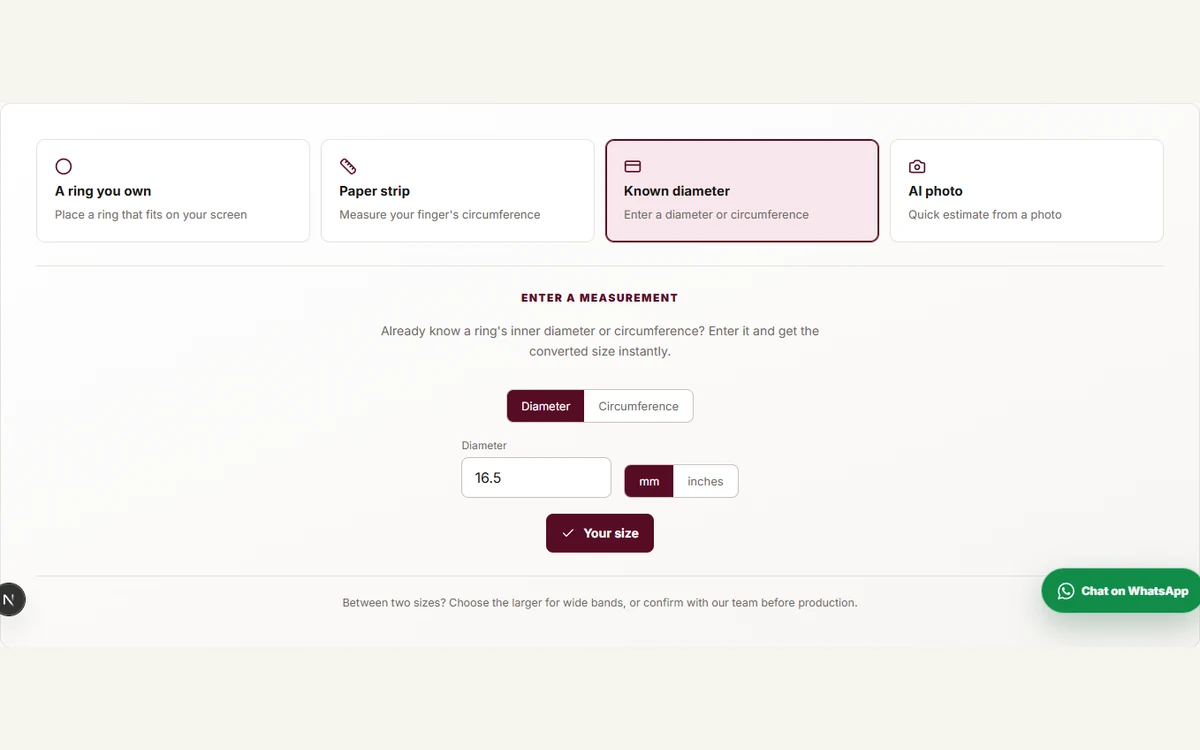
Méthode 3 : une mesure déjà connue
Le diamètre traverse l’intérieur de la bague en ligne droite. La circonférence en fait le tour. Choisissez la bonne grandeur et l’unité mm ou pouces avant la saisie.
Le résultat propose des conversions US, UK, EU/ISO et Asie/JP. Une conversion précise ne corrige pas une mesure d’entrée erronée : vérifiez la grandeur fournie et consultez le tableau.
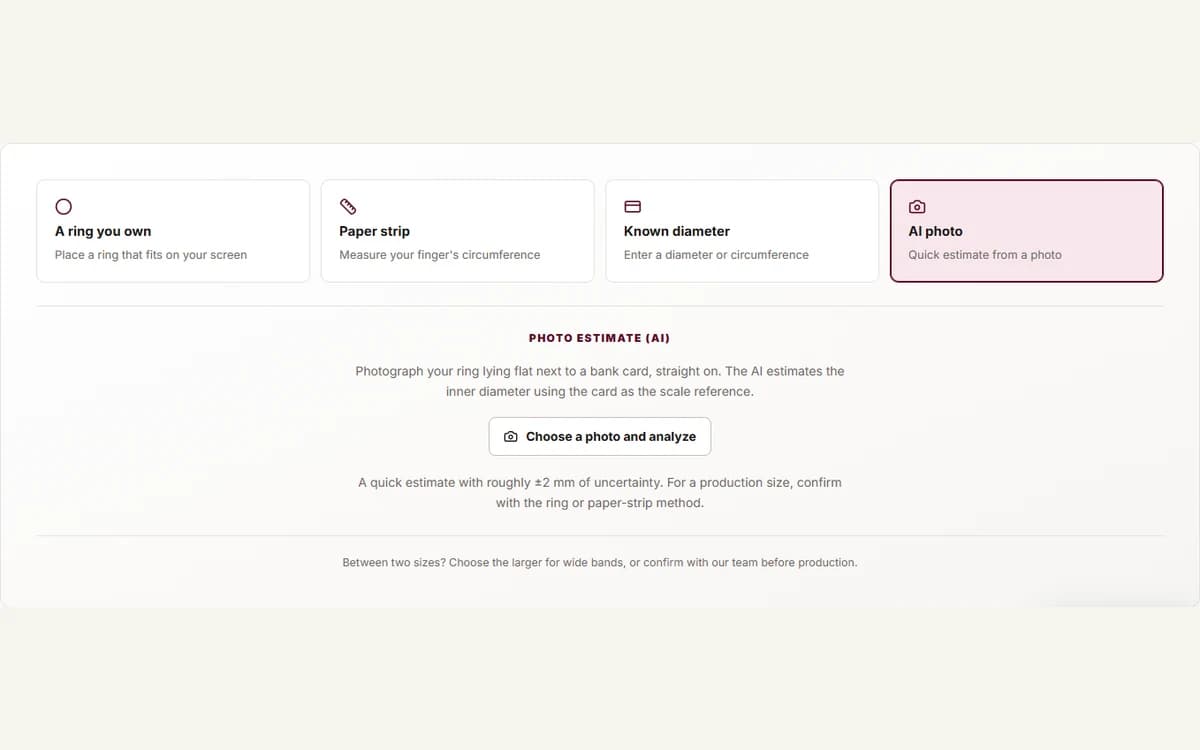
Méthode 4 : photo IA et contrôle du PDF
Pour une estimation photo, posez la bague à plat près de la carte et photographiez-les directement du dessus. Téléversez l’image, lisez la fourchette, puis confirmez par mesure manuelle. Perspective, bords peu visibles et alignement influencent l’estimation.
Pour le PDF, imprimez à 100 % et contrôlez physiquement la ligne de 50 mm, celle de 1 pouce et le cadre de la carte. Placez la bague sur les cercles ; une photo peut aider à lire l’étiquette, mais ne prouve pas l’échelle d’impression. Consultez la déclaration IA.
Avant production : confirmer l’ajustement
Partagez la taille US ou les mesures en millimètres, le doigt prévu et la largeur de l’anneau. Entre deux tailles, le confort peut favoriser la plus grande, mais faites vérifier votre cas, notamment pour un anneau large ou non modifiable.
Les possibilités de mise à taille et de retour dépendent du modèle et de la politique publiée. Une mesure à domicile ne garantit pas un ajustement identique pour toutes les constructions.
Illustration éditoriale générée par IA pour Belaroq. Les captures d’interface proviennent de l’outil Belaroq réel.
Questions fréquentes
Des réponses pour préparer votre choix et votre commande.
Pourquoi calibrer avec une carte ?
Les pixels n’ont pas la même dimension physique sur tous les écrans. La carte standard fournit une référence en millimètres.
Quelle méthode est la plus fiable ?
Une méthode calibrée, répétable et confirmée par une autre mesure. Une bague adaptée est une bonne référence ; une photo IA demande confirmation.
Le baguier fonctionne-t-il sur téléphone ?
Oui. Calibrez ce téléphone, puis mesurez la bague ou la bande directement sur l’écran.
Quand mesurer ?
Le soir à température ambiante, en évitant les effets immédiats du froid, de la chaleur ou de l’exercice.
Et entre deux tailles ?
Considérez la plus grande pour le confort et confirmez selon la largeur de l’anneau et le doigt.
Faut-il confirmer avec Belaroq ?
Pour un modèle non modifiable ou sur mesure, partagez la mesure et le contexte avant fabrication.
Le PDF remplace-t-il un outil professionnel ?
Non automatiquement. Vérifiez l’échelle, l’alignement et l’ajustement. Des résultats contradictoires demandent confirmation.
Et si la bague livrée ne convient pas ?
Contactez Belaroq avant tout retour. Mise à taille et retour suivent les conditions et exclusions publiées.
À retenir
Calibrez, mesurez trois fois, comparez deux méthodes et confirmez avant fabrication. La mesure n’est fiable que si l’échelle, le doigt et l’anneau prévu sont correctement pris en compte.